Summary and Report
The Summary and Report module provides a consolidated overview of all findings flagged in
previous modules and enables generation of a clinical report in .docx format.
Overview Boxes
At the top of the page, four colour-coded info boxes summarise key metrics for each dataset:
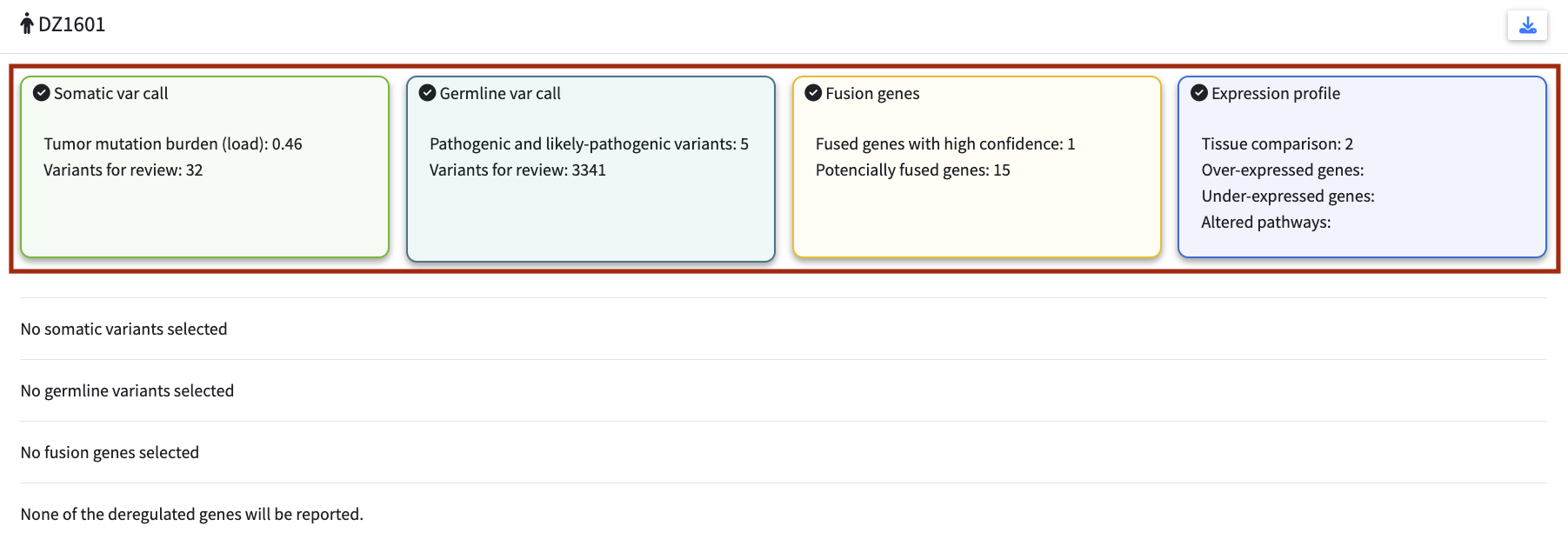
| Module | Metrics shown |
|---|---|
| Somatic variant calling | Tumour mutational burden (TMB); number of variants passing default filters |
| Germline variant calling | Number of variants passing default filters; number of pathogenic and likely-pathogenic variants by ClinVar |
| Fusion genes | Number of high-confidence fusions (Arriba); total number of detected fusions |
| Expression profile | Number of reference tissues; number of deregulated genes; number of altered pathways |
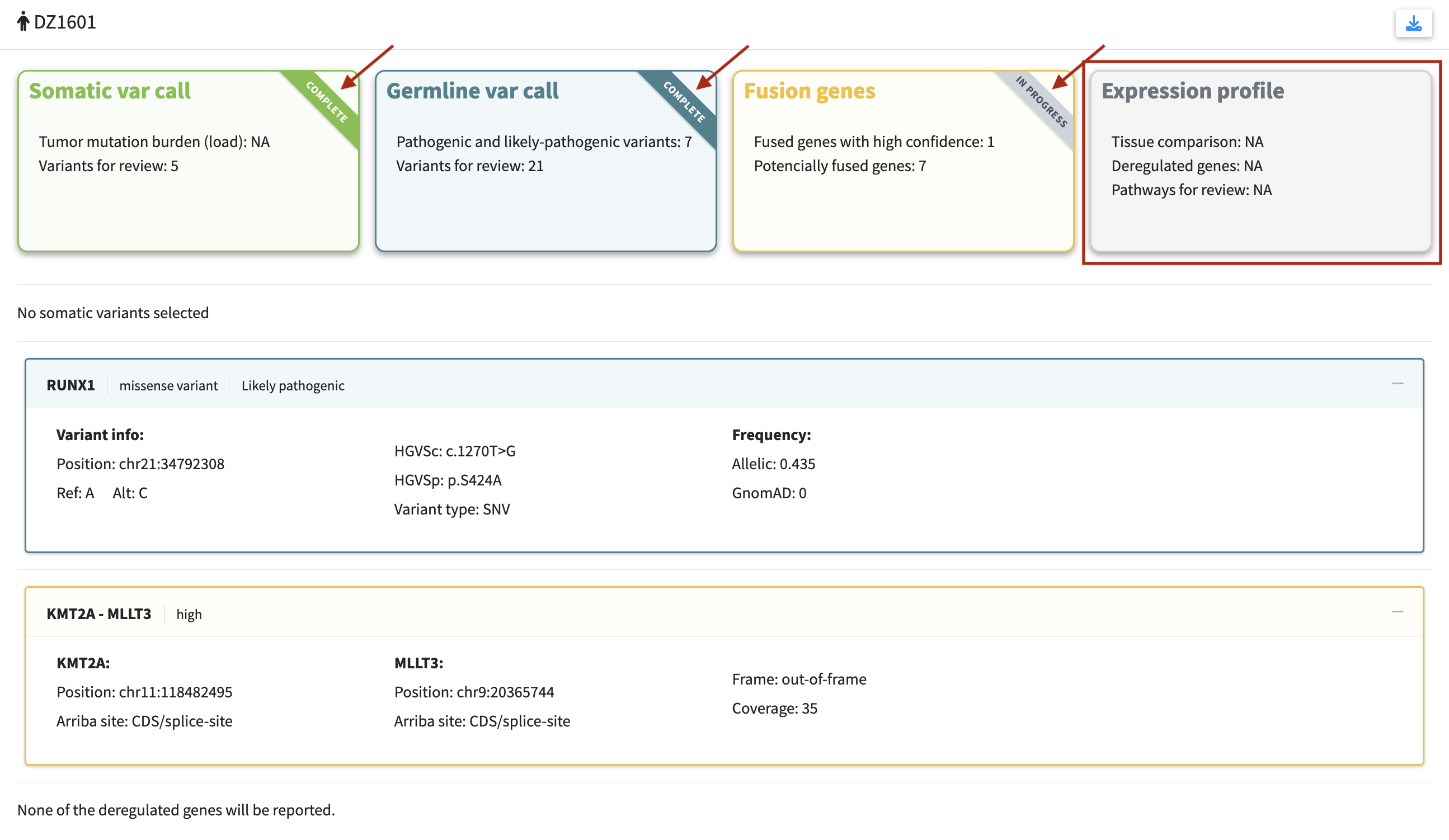
Each box also carries a small diagonal ribbon in its top corner that mirrors the completion state set in the analysis module. While a dataset is still under review, the ribbon is pale grey and reads in progress. Once the analysis is marked complete, the ribbon switches to the module’s own colour and reads complete. This gives a quick sense of how far the case has been worked through before the report is generated.
If a dataset was not loaded, its box is greyed out and shows N/A values.
Selected Findings
Below the overview boxes, all flagged variants, fusions, and genes from previous modules are displayed as expandable panels, one per dataset type.
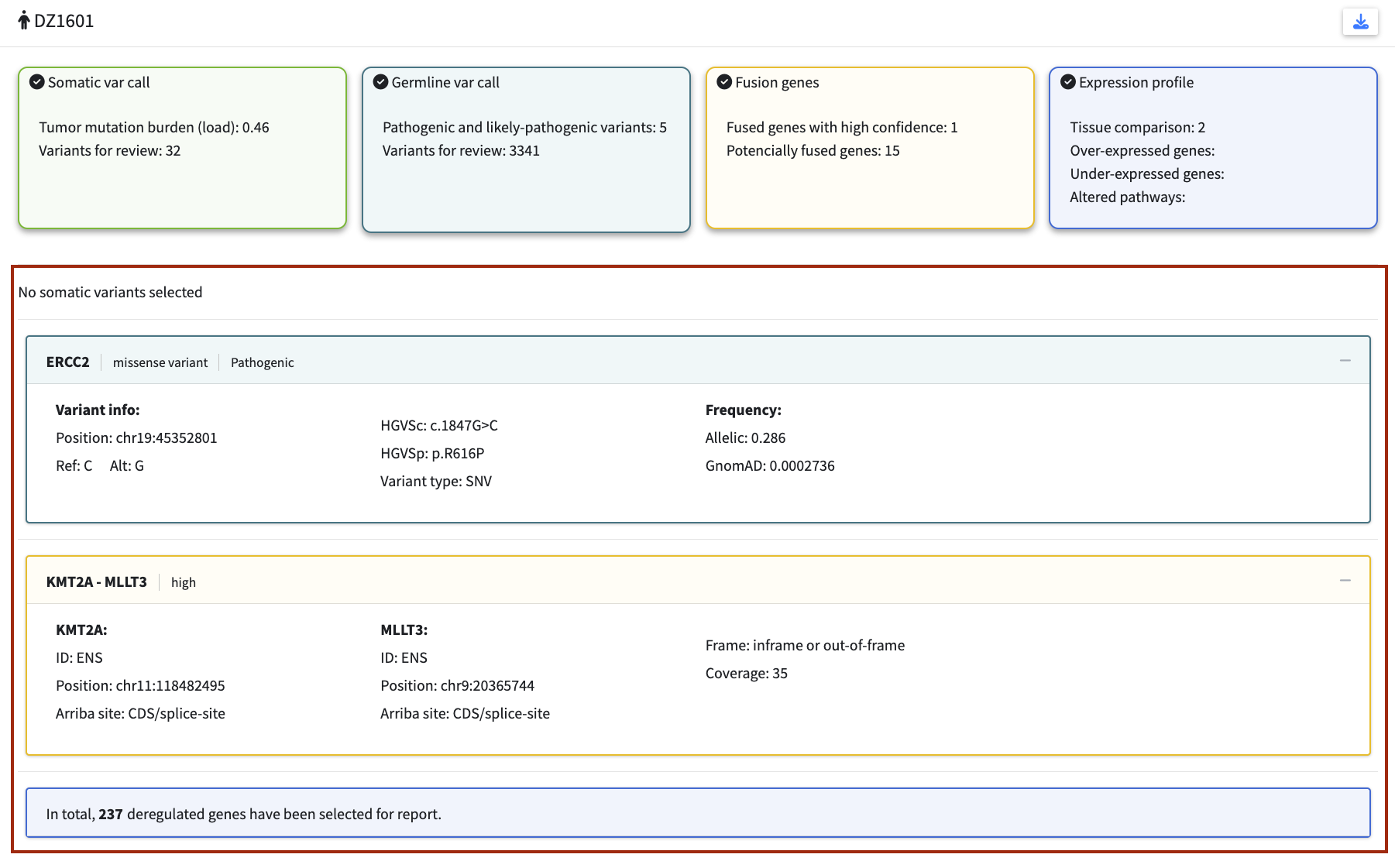
Somatic variants — the panel header shows the gene name and consequence. Expanding reveals:
- Variant info: chromosomal position, Ref/Alt alleles, HGVSc, HGVSp, variant type
- Frequency: allelic frequency (VAF), gnomAD NFE frequency
Germline variants — the panel header shows gene name, consequence, and ClinVar significance. Expanding reveals:
- Variant info: chromosomal position, Ref/Alt alleles, HGVSc, HGVSp, variant type
- Frequency: allelic frequency, gnomAD NFE frequency
Fusion genes — the panel header shows the gene pair and Arriba confidence level. Expanding reveals:
- For each fusion partner: position and Arriba site annotation
- Reading frame (Arriba)
- Overall support (read coverage)
Expression profile — not expandable. Shows the total number of deregulated genes selected for the report (combining flagged genes from both the Genes of Interest and All Genes tabs).
Generating the Report
Click the download icon in the top right of the module to open the report options. Two template options are available:
-
Default template — the built-in template configured via
reference_paths.json(see Configuration) -
Custom template — upload your own
.docxfile with institutional formatting
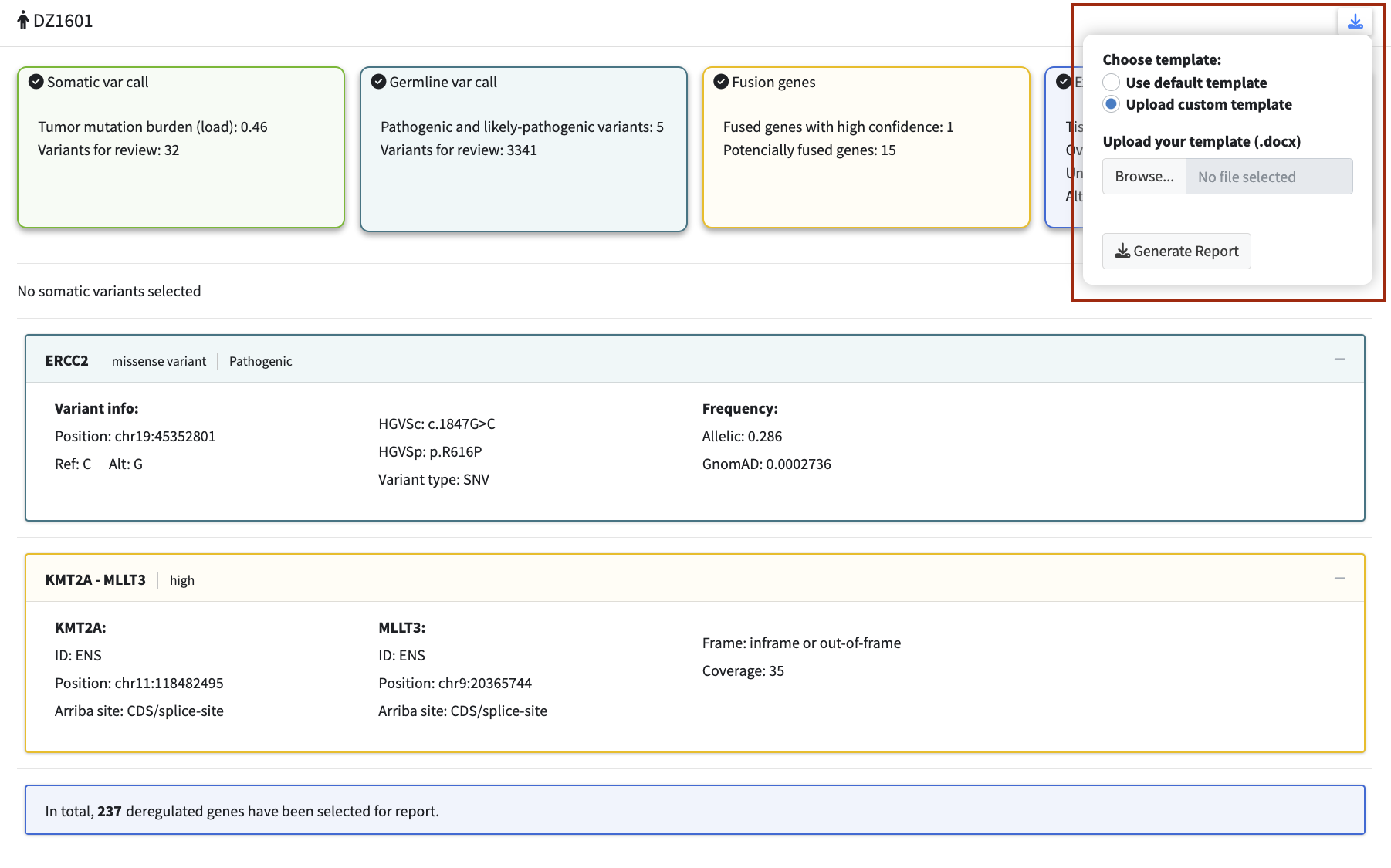
Click Generate Report to download the populated .docx file.
The automatically generated report should be regarded as a draft. It requires manual review and completion by a clinician before use in a clinical context.
Custom Templates
Custom templates use keyword-based variable substitution. Place keywords in your .docx
template where you want the corresponding content to appear — the application replaces each
keyword with the relevant patient data when generating the report.
All keywords must be wrapped in double angle brackets exactly as shown.
| Keyword | Content inserted |
|---|---|
<<patient_info>> |
Patient ID and report generation date |
<<details_table>> |
Empty sample details table (specimen type, collection date, method, library preparation, sequencing device, date of sequencing) — one column per loaded dataset, to be filled in manually |
<<summary_somatic>> |
Short text list of flagged somatic variants in format Gene (HGVSc/HGVSp)
|
<<summary_germline>> |
Short text list of flagged germline variants in format Gene (HGVSc/HGVSp)
|
<<summary_fusion>> |
Short text list of flagged fusions in format Gene1::Gene2 gene fusion
|
<<somatic_table>> |
Detailed somatic variant table: Gene, Transcript, Variant (HGVSc/HGVSp), VAF, Variant effect, Class |
<<germline_table>> |
Detailed germline variant table: Gene, Transcript, Variant (HGVSc/HGVSp), MAF, Variant effect, Phenotype, Zygosity, Inheritance, Class |
<<fusion_table>> |
Detailed fusion table: Gene 5’, Transcript 5’, Gene 3’, Transcript 3’, Overall support, Phasing |
<<expression_table>> |
Detailed expression table grouped by pathway: Gene, Transcript, Expression level, log2FC, Therapeutic option |
<<mutation_burden>> |
Tumour mutational burden value in mutations/Mb |
<<somatic_interpretation>> |
One sentence per flagged somatic variant with a link to the OncoKB gene page |
<<germline_interpretation>> |
One sentence per flagged germline variant with a link to the OncoKB gene page |
If a keyword is present in the template but no data is available for that section (e.g. no fusions were flagged), the placeholder is replaced with a default message rather than left empty. Keywords not present in the template are simply ignored.
Tip: Test your template with sample data before using it in a clinical workflow to ensure all placeholders are substituted correctly and the formatting is preserved.